You signed in with another tab or window. Reload to refresh your session.You signed out in another tab or window. Reload to refresh your session.You switched accounts on another tab or window. Reload to refresh your session.Dismiss alert
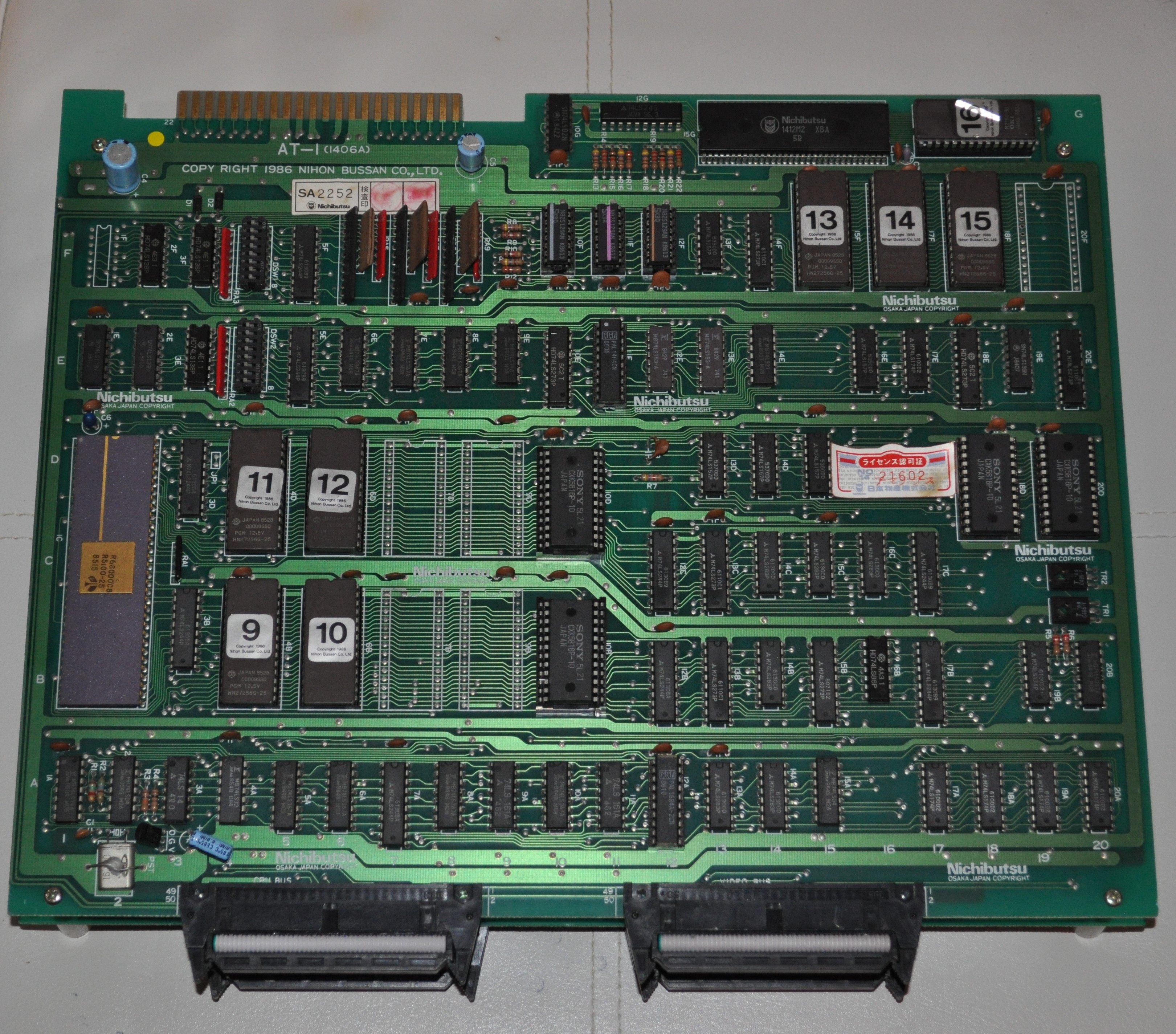
FPGA compatible core of Nichibutsu M68000 (Terra Cresta Based) arcade hardware for MiSTerFPGA written by [Erin Olafson]. Terra Cresta YM2203 OPN Type PCB donated by @atrac17 / @djhardrich.
The goal for this implementation is gameplay to be 1:1 of the Nichibutsu (Terra Cresta based) 68000 hardware. This core was developed with assistance from atrac17.
Service Menu (push button service menu) in Kid no Hore Hore Daisakusen
Additional debugging features (layer toggle)
Protection IC NB1412M2 implementation
Input swap on amatelass, amazon, horekidb
Sprite / Tile offsets in Kid no Hore Hore Daisakusen (screen transitions)
Screen Flip implementation
Sprite Clipping
Remaining Tasks
Reverse engineer Terra Cresta and provide schematics
PCB Check List
FPGA implementation is based on Terra Cresta and will be verified against the YM2203 PSG Type PCB with a YM3526 swap. Reverse engineering of an authentic Terra Cresta PCB will be done by [Erin Olafson]; schematics will be included in the repository.
Dip switch 7 on bank 1 enables invincibility. When enabled, overclocking the framerate is possible by holding the 2P Start Bttn or enabling turbo in the OSD.
Kid no Hore Hore Daisakusen
Debugging Features [horekid, horekidb1, horekidb2]
Debug Mode and cabinet Upright dip switches are set to default. When enabled, you will be able to access the following debug features:
Level Selection: insert a coin and press P2 Bttn 1 and 2. In the bottom right corner, 00 will be displayed. Pressing P2 Bttn 1 and 2 and P1 1 Bttn 1 increases the level. Pressing P2 Bttn 1 and 2 and P1 Bttn 2 decreases the level. Press P1 start after choosing your level selection.
Invincibility and Infinite Time are set by inserting a coin and pressing P2 Bttn 1, P2 Bttn 2 and P1 Start Bttn.
To enable the debug level select, set your level prior to enabling these debug features.
GFX Layer Toggle
The three graphical layers can be toggled in the OSD under the Debug options or by pressing F7-F9 on the keyboard.
Layer Debug
All Layers
Foreground
Background
Sprites
Sprite Flip on Axis Toggle
To enable sprite flip, in the OSD under the Debug options enable the toggle.
Sprite Flip
All Layers
Sprite Flip X-Axis
Sprite Flip Y-Axis
Control Layout
Game
Joystick
Service Menu
Shared Controls
Dip Default
Terra Cresta
8-Way
Upright
Table
Sei Senshi Amatelass
8-Way
Upright
Table
Kid no Hore Hore Daisakusen
4-Way
No
Upright
Upright cabinet shares a 1L2B control panel layout. Players are required to switch controller. The default cabinet style is set to table for Terra Cresta and Sei Senshi Amatelass. This enables multiple player controllers.
Keyboard Handler
Keyboard inputs mapped to mame defaults for all functions with additional keys for layer toggles.