Inspired by the Ralph Wiggum hype, this autonomous coding agent plans and executes individual PRD items until task completion. Built as a .NET 10 CLI tool, it uses the GitHub Copilot .NET SDK directly-no shell invocation required. As a bonus, it supports runtime Roslyn-compiled C# scripts as verification criteria, enabling custom build scripts or test runners.

- Prerequisites
- Installation
- Global Options
- Commands
- Typical Workflow
- Running Without Installing
- Verification Scripts
- License
- .NET 10 SDK
- GitHub Copilot CLI installed and authenticated
# Build and pack
dotnet build
dotnet pack src/Ralph/Ralph.csproj

# Install globally
dotnet tool install --global --add-source src/Ralph/nupkg Ralph

# Uninstall
dotnet tool uninstall --global RalphThese options are available for all commands:
| Option | Default | Description |
|---|---|---|
--model-run |
claude-opus-4.5 |
Model for run/implementation operations |
--model-plan |
claude-sonnet-4 |
Model for planning operations |
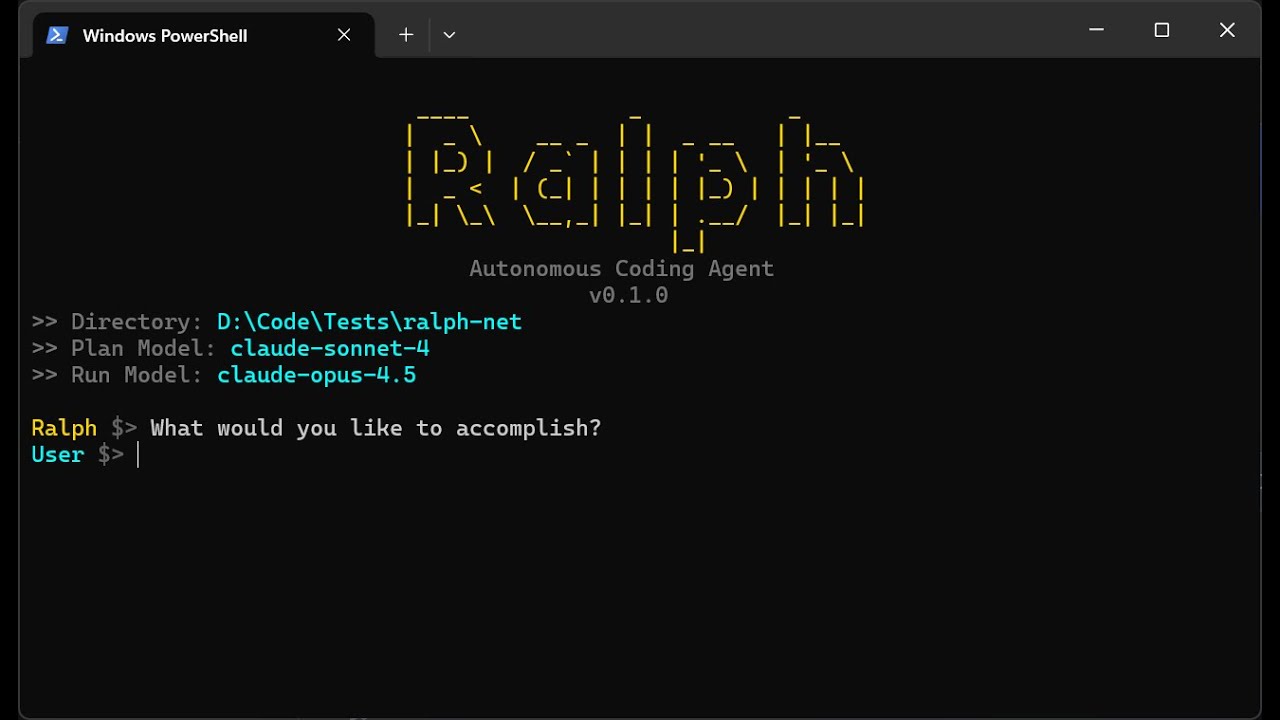
Run Ralph with no subcommand to start an interactive workflow that plans and implements in one session:
# Start interactive workflow
ralph

# Use custom models
ralph --model-plan claude-sonnet-4 --model-run claude-opus-4.5
What happens:
- Ralph prompts "What would you like to accomplish?"
- Creates a PRD from your description (planning phase)
- Automatically implements all stories (run phase)
| Option | Default | Description |
|---|---|---|
-t, --timeout |
30 |
Timeout in minutes |
Interactively plan a feature and generate a PRD file:
# Start interactive planning session
ralph plan

# Use a different model and longer timeout
ralph plan --model-plan claude-sonnet-4 -t 60
What happens:
- Ralph asks clarifying questions about your feature
- Answer with shorthand like
1A, 2C, 3Bor detailed responses - Ralph generates
.ralph/prd.jsonwith prioritized user stories
| Option | Default | Description |
|---|---|---|
-t, --timeout |
30 |
Timeout in minutes |
Autonomously implement user stories from a PRD:
# Run in current directory (uses .ralph/prd.json)
ralph run

# Run with a longer timeout
ralph run -t 600
What happens:
- Ralph discovers PRDs in
.ralph/directory - If multiple incomplete PRDs exist, prompts for selection
- Picks the next incomplete story (
passes: false) - Implements the story using GitHub Copilot
- Marks the story complete via the
update_storytool - Repeats until all stories pass
| Option | Default | Description |
|---|---|---|
-t, --timeout |
300 |
Timeout per iteration (seconds) |
Run a verification script by name:
# Run the Build verification script
ralph script Build

# Run a script in a different directory
ralph script Test --working-dir ./my-project| Option | Default | Description |
|---|---|---|
<SCRIPTNAME> |
(required) | Name of the script to run |
-w, --working-dir |
Current directory | Working directory for script execution |
# 1. Navigate to your project
cd my-project

# 2. Option A: Let Ralph plan and implement in one go
ralph

# 2. Option B: Plan first, then implement separately
ralph plan    # Create the PRD interactively
ralph run # Implement all stories from the PRD# Run combined workflow (prompts for goal)
dotnet run --project src/Ralph
# Run specific commands
dotnet run --project src/Ralph -- plan
dotnet run --project src/Ralph -- run
dotnet run --project src/Ralph -- script BuildRalph can run verification scripts to validate work before marking stories complete. Scripts live in .ralph/scripts/ as C# files (e.g., Build.cs, Test.cs).
Each script is invoked by name via the ralph_verify tool. Acceptance criteria can require specific verifications like ralph_verify(Build) passes.
Thanks, Matt. This is so fun to work with.
This video shows Ralph working on Ralph. What began as a fun weekend project eventually turned into a repository and a contest submission, as I discovered while developing it.
MIT