You might be aware that the standard control showing the Hierarchy will be removed from the platform by October 2025 (more info).
So I've decided to resolve the issue by creating it as a PCF control. Sample implementation with the account table :
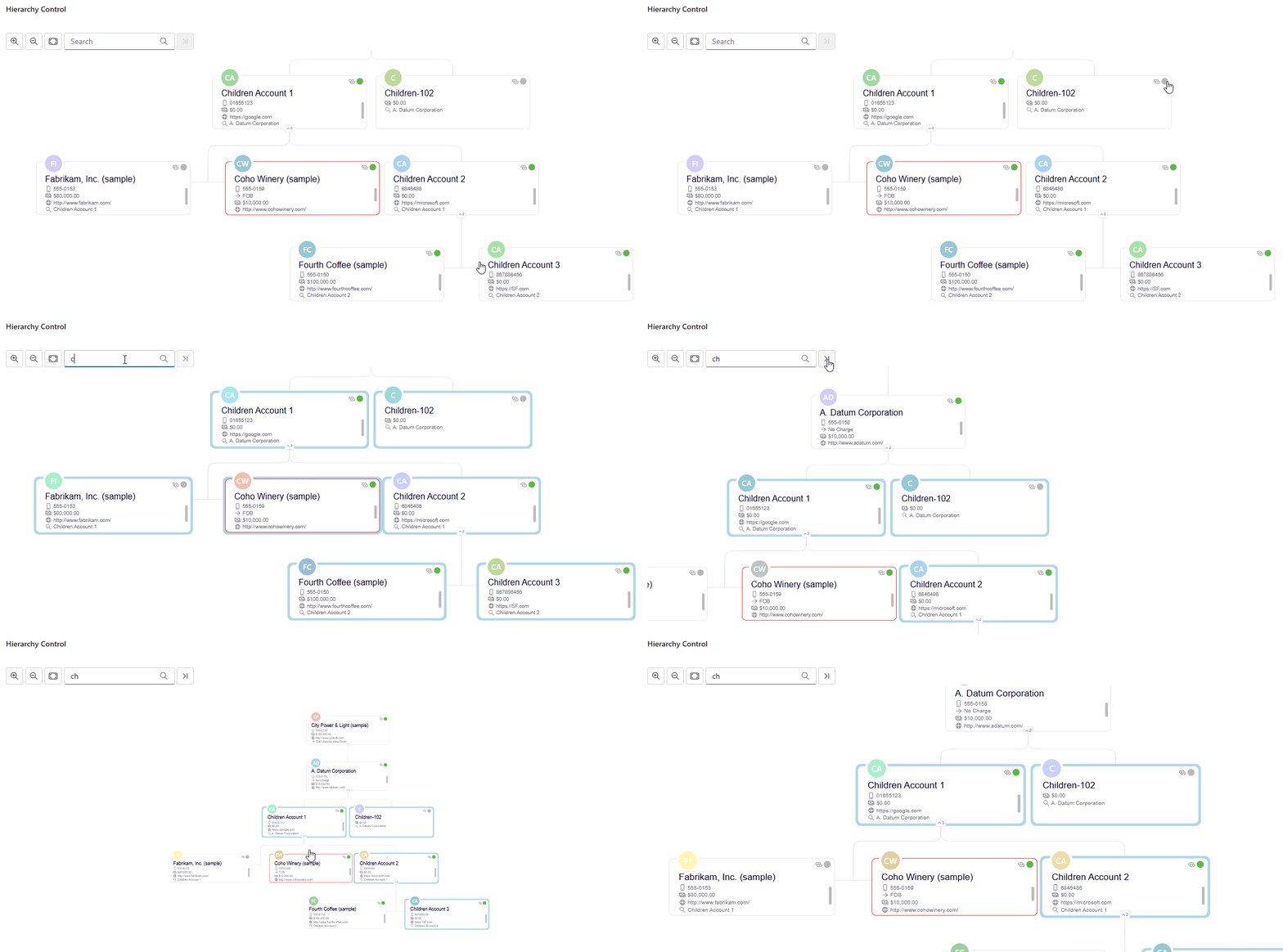
Here are the steps to configure and use the control :
-
Download the latest solution
-
Make sure that the Table has a "Hierarchy relationship" enabled (details)
-
Here are the parameters to prepare the control :
| Parameter | Description | Required |
|---|---|---|
| hostingField | Field to attach the control (text field) | x |
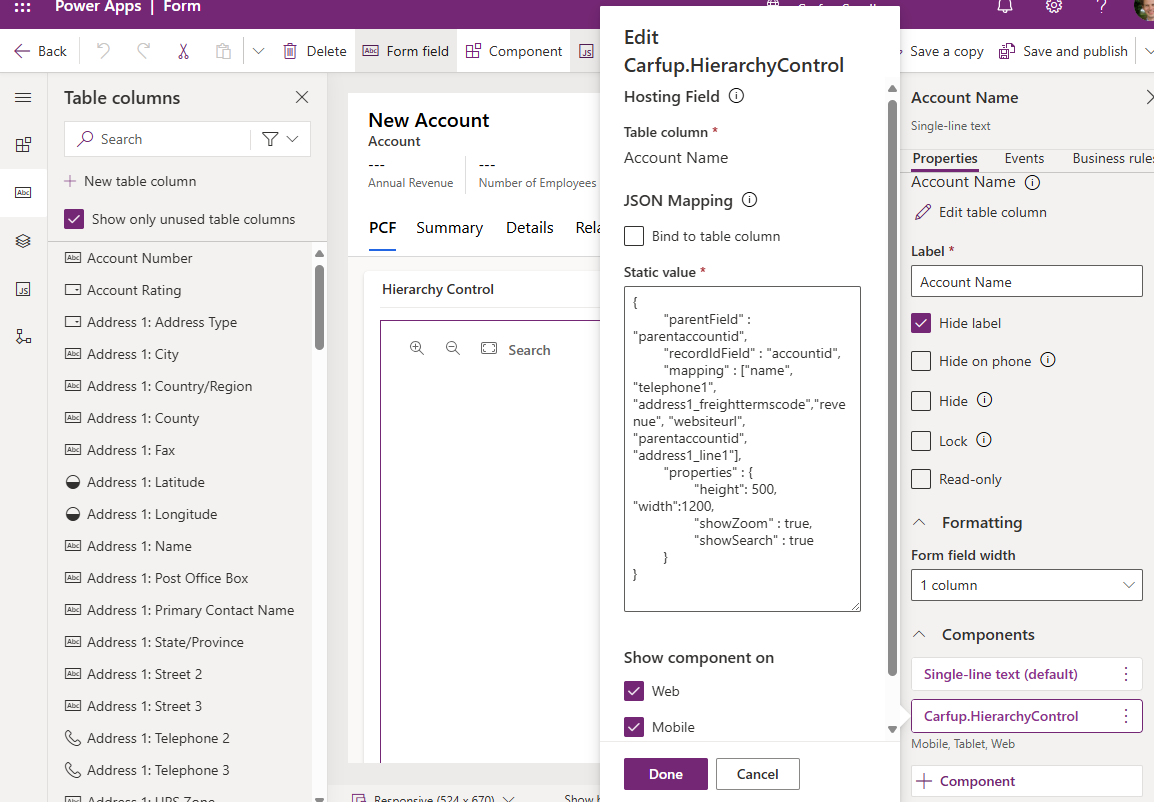
| JsonMapping | JSON data containing the parameters which allow the control to work | x |
JSON Details : (sample with the account table) - see below for the properties explanations
{
	"parentField" : "parentaccountid",  REQUIRED - Parent Record Field Link to the same Account Table (with the Hierarchy relationship enabled)
	"recordIdField" : "accountid",      REQUIRED - Primary Field of the Account table
	"lookupOtherTable" : "mylookupfieldid" OPTIONAL - Allow you to display the hierarchy for a related table (the base will be the lookup record)
						To properly configure it, you need to align the "parentField" and "recordIdField" with the lookup table definition
	"mapping" : ["name","telephone1","websiteurl", "address1_line1"], REQUIRED - List of attributes to display, first one will be the node title, others will be displayed in order
	"properties" : {
		"height": 500,    OPTIONAL - Force the Height in px (By default use the height available)
		"width": 1200,     OPTIONAL - Force the Width in px (By default use the full width available).
		"showZoom": true,     OPTIONAL - Display the zoom in, zoom out, fit to screen buttons (Default value : false)
		"showSearch": true,     OPTIONAL - Display a search bar to find a node in the hierarchy (Default value : false)
        "showRecordPicture": true,     OPTIONAL - Display the record picture instead of the initials (Default value : false)
		"position": "top" | "centered",     OPTIONAL - Change the position of the hierarchical view : Top - center on the top parent record (Default value : centered)
		"showOnlyDirectDescendants" : true, OPTIONAL - Display only the direct parents and children of the current record (Default value : false)
	}
}| Properties | Description | Required | Default Value |
|---|---|---|---|
| parentField | Parent Record Field Link to the same Account Table (with the Hierarchy relationship enabled) | x | |
| recordIdField | Primary Field of the Account table | x | |
| lookupOtherTable | Allow you to display the hierarchy for a related table (the base will be the lookup record) | ||
| mapping | List of attributes to display, first one will be the node title, others will be displayed in order | x | |
| properties | List of extra possibilities for the control | ||
| properties.height (int) | Force the Height in px | Height available | |
| properties.width (int) | Force the Width in px | Width available | |
| properties.showZoom (bool) | Display the zoom in, zoom out, fit to screen buttons | false | |
| properties.showSearch (bool) | Display a search bar to find a node in the hierarchy | false | |
| properties.showRecordPicture (bool) | Display the record picture instead of the initials | false | |
| properties.position (string) | Change the position of the hierarchical view : Top - center on the top parent record | centered | |
| properties.showOnlyDirectDescendants (bool) | Display only the direct parents and children of the current record | false |
Here is how it will looking between the mapping and the rendering :
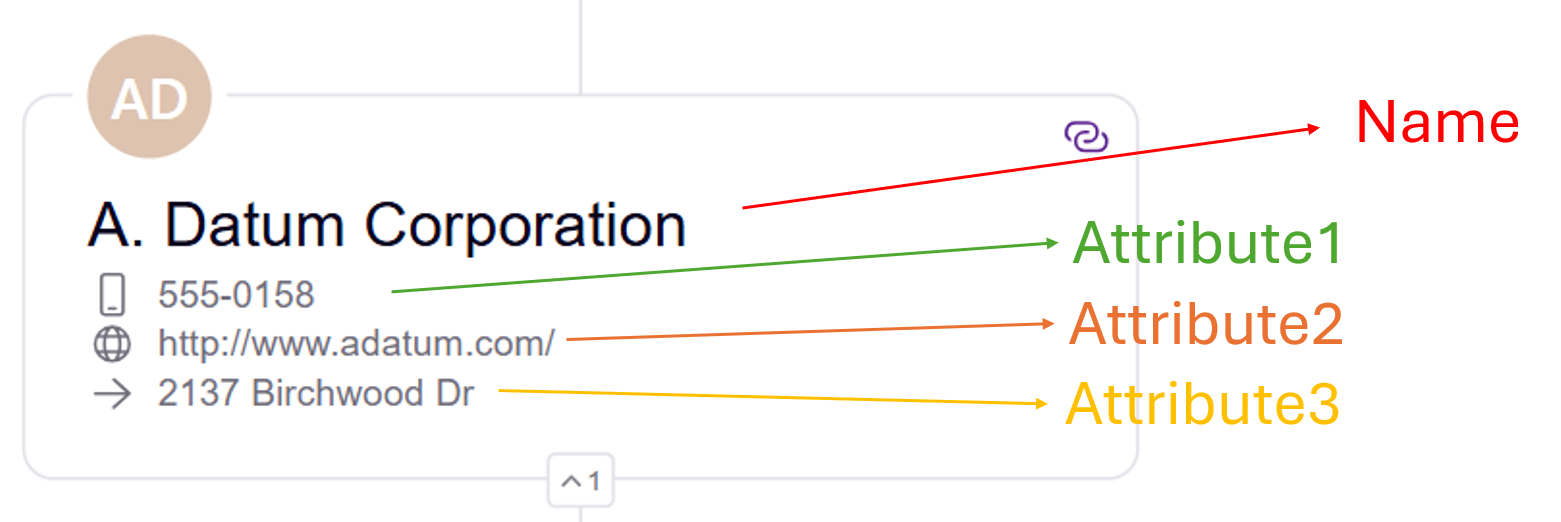
Each data type will have it's own icon next to the value.
-
Hide the field label
-
Keep a tab with one column in order to have to most of the space
-
Configuration sample on the form level :
Reference of the org chart library used here : https://github.com/bumbeishvili/org-chart