


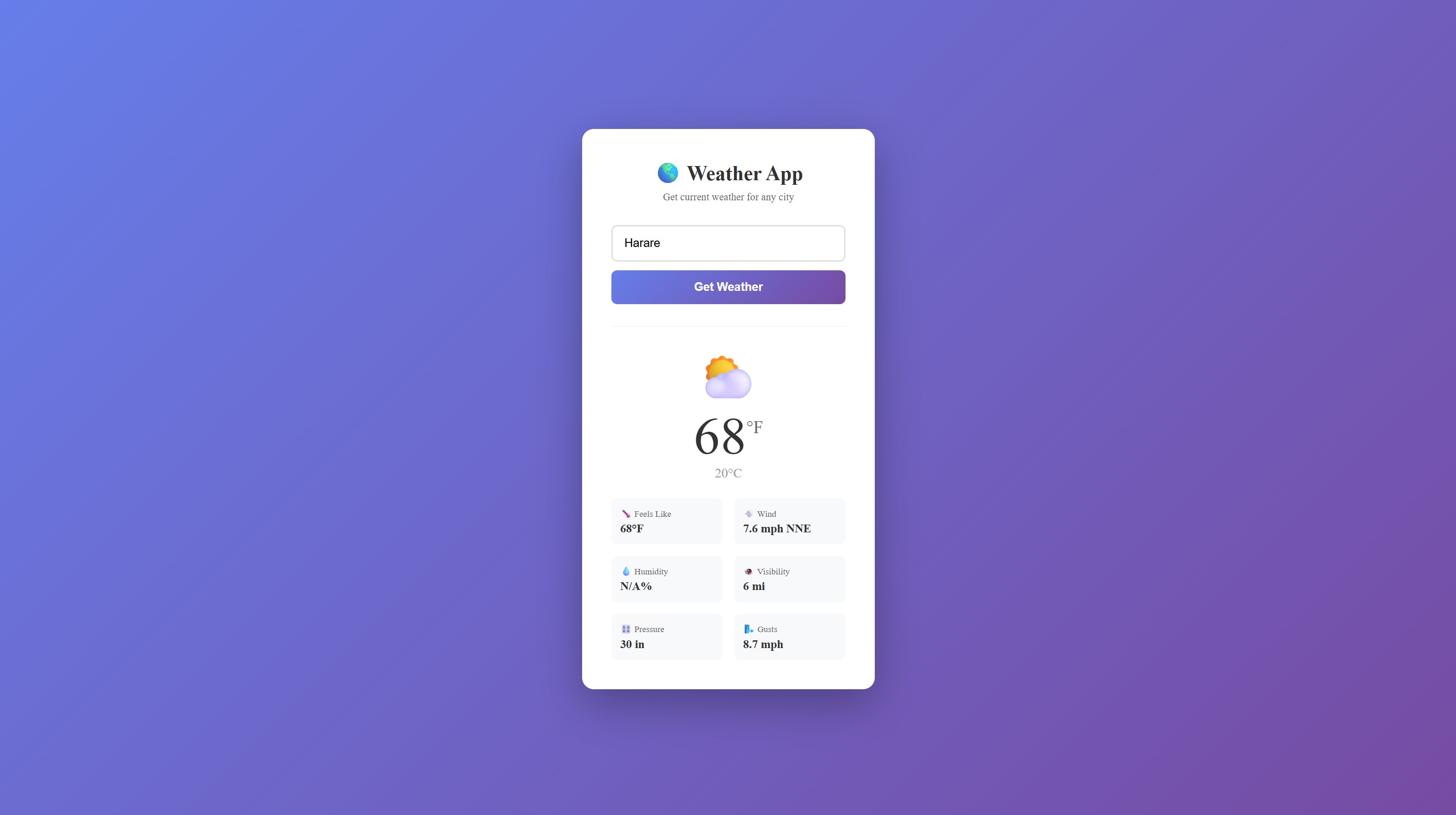
A clean, responsive weather app built with React. Enter any city and get real-time weather data including temperature, wind, humidity, and more.
This tutorial requires an APIVerve API key. Sign up free - no credit card required.
- Real-time weather data for any city worldwide
- Temperature in both Fahrenheit and Celsius
- Wind speed, direction, and gusts
- Visibility and atmospheric pressure
- Clean, modern UI with responsive design
- Built with React 18 and Vite for fast development
-
Clone this repository
git clone https://github.com/apiverve/weather-app-react-tutorial.git cd weather-app-react-tutorial -
Install dependencies
npm install
-
Add your API key
Open
.envand add your API key:VITE_API_KEY=your-api-key-here -
Start the development server
npm run dev
-
Open in browser
Visit http://localhost:5173 and search for a city!
weather-app-react-tutorial/
├── src/
│   ├── App.jsx         # Main React component
│   ├── App.css         # Styles
│   └── main.jsx        # Entry point
├── index.html          # HTML template
├── package.json        # Dependencies
├── vite.config.js      # Vite configuration
├── .env                # Environment variables (add your API key)
├── screenshot.jpg      # Preview image
├── LICENSE             # MIT license
├── .gitignore          # Git ignore rules
└── README.md           # This file
- User enters a city name in the search box
- React captures the input and calls the Weather API
- API returns current weather conditions
- Component re-renders with the weather data
- Temperature and details are displayed in a clean card layout
const response = await fetch(`${API_URL}?city=${encodeURIComponent(city)}`, {
  method: 'GET',
  headers: {
    'x-api-key': API_KEY
  }
});Endpoint: GET https://api.apiverve.com/v1/weatherforecast
Query Parameters:
| Parameter | Type | Required | Description |
|---|---|---|---|
city |
string | Yes | City name (e.g., "San Francisco") |
Example Response:
{
  "status": "ok",
  "error": null,
  "data": {
    "tempC": 15.6,
    "tempF": 60.1,
    "feelslikeC": 15.6,
    "feelslikeF": 60.1,
    "windMph": 4.9,
    "windKph": 7.9,
    "windDir": "NW",
    "pressureMb": 1021,
    "pressureIn": 30.16,
    "visKm": 16,
    "visMiles": 9,
    "gustMph": 6.6,
    "gustKph": 10.5
  }
}- Add weather icons based on conditions
- Show 5-day forecast (use a forecast API)
- Add location auto-detection with Geolocation API
- Save favorite cities to localStorage
- Add unit toggle (°F/°C)
- Display weather background images
Explore more APIs at APIVerve:
- Air Quality - Get air quality index for any location
- Sunrise/Sunset - Get sunrise and sunset times
- IP Lookup - Auto-detect user location
MIT - see LICENSE
- Get API Key - Sign up free
- APIVerve Marketplace - Browse 300+ APIs
- Weather API - API details