


In the “Release” section, you'll find the portable version and the installer for the program.
- Go to the Home tab
- In the widget panel, click the “Add Game” widget
- A modal will open showing all installed programs
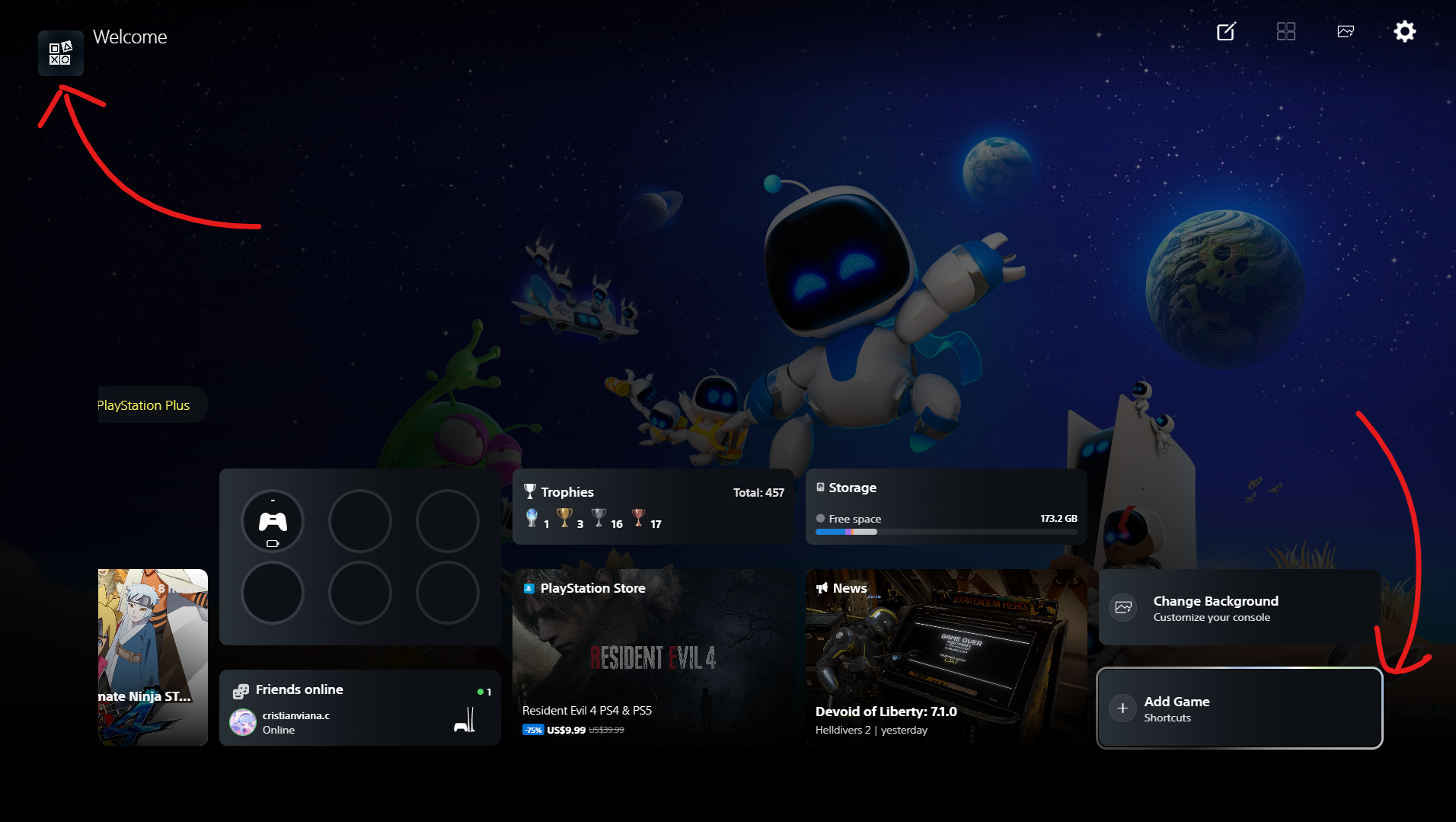
- Select your games
- Check the “Games” category (it's already checked by default)
- Select the platform (PC is selected by default)
- If the game you want to add isn’t listed in the modal, click “Browse”
- A file explorer window will open; add your .exe files
- Once you’ve selected your games, add them, and they’ll appear in your library under “Installed”
 - Once added, if you notice that their metadata hasn’t downloaded, correct the game title and click “Sync”


- Open your emulator and create shortcuts for your games
- I recommend creating a folder and adding your shortcuts there instead of leaving them on the desktop
- Then add them using the “Add Games” widget modal
- Select your platform and add them


- Tap your username; a floating menu will appear at the bottom

- Go to profile
- edit profile
- profile picture


 This applies if you haven't set up your profile photo (avatar) folder.
- Go to Settings -> Accessibility
- Select your dedicated wallpaper folder
- Select your screenshot folder; you can use the same one that Xbox uses, like I do
- If you use the RPCS3 emulator, enter the location of your EXE file—this is for achievements
- select your avatar dedicated folder


- Go to Settings -> Accessibility -> Steam

This project is free software and is distributed under the GNU AGPL-3.0 license. See the LICENSE.md file for more details on the terms of use, modification, and distribution. If you use, fork, or modify this code in your own project, please provide proper attribution and credit to angelvc25 with a link back to this original repository.
- Independent Project: WPS5 Launcher is an independent, non-profit project developed by fans. It is not affiliated with, associated with, authorized by, endorsed by, or officially connected in any way to Sony Interactive Entertainment Inc. or any of its subsidiaries or affiliates.
- Trademarks: “PlayStation,” “PS5,” and associated logos or visual elements are trademarks or registered trademarks of Sony Interactive Entertainment Inc. They are used solely for descriptive and illustrative purposes.
- User Content: This software is solely a user interface (frontend). It does not include, distribute, or promote the illegal downloading of games, BIOS files, or copyrighted material. The user is solely responsible for using their own legal copies.