


Ranim is an animation engine crate implemented in pure rust, inspired heavily by Manim and jkjkil4/JAnim.
Warning
Ranim is now WIP. It only supports some basic items and animations, the apis are unstable and may change frequently, the documentation is also not complete.
Related:
- AzurIce/ranim-doc: rustdoc for main
- AzurIce/ranim-book: ranim book
- AzurIce/ranim-one-shot: one-shot attempts with ranim
- AzurIce/ranim-bench: benchmarks for ranim
Runtime dependencies:
- ffmpeg: encode videos Ranim will try to use ffmpeg from system's path environment variable first, if no ffmpeg is found, ranim will automatic download ffmpeg to the current working dir.
[dependencies]
ranim = "0.2.1"
Documentation: v0.2.1 guide and API reference.
[dependencies]
ranim = { git = "https://github.com/AzurIce/ranim" }
The following examples target the v0.3 App/Plugin API.
Define scenes as Rust functions in a library or module, then register their
descriptors in an App. Native hosts run the CLI; WASM hosts export the project
to JavaScript. For a package named my-animation:
# Cargo.toml
[dependencies]
ranim = { git = "https://github.com/AzurIce/ranim" }

# Needed when exporting app() from the WASM host.
[target.'cfg(target_arch = "wasm32")'.dependencies]
wasm-bindgen = "0.2.129"
// src/lib.rs — reusable scene definition; no CLI, GPU, or browser startup.
use ranim::{items::vitem::geometry::Square, prelude::*};
#[scene]
pub fn hello(scene: &mut RanimScene) {
scene.play(CameraFrame::default().show().with_duration(2.0));
scene.play(Square::new(2.0).show().with_duration(2.0));
}// src/main.rs — the same binary target serves native and WASM.
use ranim::prelude::*;
fn project() -> ranim::RanimApp {
let mut app = App::new();
app.add_scenes([my_animation::hello::scene()]);
app.build()
}
#[cfg(not(target_arch = "wasm32"))]
fn main() {
ranim::cmd::run_cli(project()).unwrap();
}
#[cfg(target_arch = "wasm32")]
fn main() {}
#[cfg(target_arch = "wasm32")]
#[wasm_bindgen::prelude::wasm_bindgen]
pub fn app() -> ranim::wasm::WasmApp {
ranim::wasm::WasmApp::new(project())
}#[scene] generates hello::scene() for explicit registration.
App and Plugin are Bevy types. Plugins optionally group scenes, resources,
and render configuration; app.build() finalizes the project for either host.
See project entry for setup and platform bindings.
use ranim::{anims::{fading::{FadeIn, FadeOut}, rotating::Rotate}, prelude::*};

let fade = item.anim_ref(FadeIn); // clone input, leave it unchanged
let turn = item.anim_mut(Rotate::new(angle, axis)); // snapshot input, write back final state now
let exit = item.anim(FadeOut).with_duration(2.0); // consume input
AnimDef<T, R> retains initial and recipe; AnimRecipe::build constructs an
independent runtime tree without consuming that definition. ItemAnimExt provides
the input-binding methods; anim_ref clones rather than keeping a borrow, and
anim_mut snapshots the original input before immediately writing back the
recipe's terminal state. It additionally requires AnimWriteBack<T>; playback
settings and later builds do not repeat or undo this write-back.
See input binding for ownership, snapshots,
write-back order, and sequential authoring examples.
Custom cloneable Eval implementations use .into_animation() for a retained
template, or AnimNode::from_eval(eval, duration) inside a recipe.
Definition and runtime trees both use Children / Leaf, but one recipe leaf may
build an entire runtime subtree. Playback wrappers and composition operate on
definitions; rebuilding borrows them without replacing their inputs or recipes.
See animation architecture for type erasure,
playback overrides, snapshot sampling, and the inspection/persistence boundary.
The app command opens a read-only egui browser: select a scene on the left,
expand its definition tree, and select a node to inspect timing, rate curves,
and recipe type names. Definitions build lazily on the UI thread; a failed
constructor is reported without closing the browser.
The browser and preview timeline read retained definitions directly, without
expanding recipe-generated runtime subtrees.
# Any project's run_cli entry (enabled by cmd-app, also included in cmd-preview):
cargo run --example hello_ranim -- app

# All bundled examples, with example-qualified scene names (run at repo root):
cargo run -p ranim-examples --features cmd-app --bin examples-inspector
The Inspector reads definition structure and playback settings without animation type registration. Rust type names identify recipes for display; they are not persistent scene identities. The browser does not reflect arbitrary input or recipe fields, edit animations, or save KDL.
The framework-independent browser ES modules live in web/.
They require no frontend build step and are shared by the website and rustdoc.
The viewport renders a project's WASM module; controls provide playback and a timeline.
Enable subsecond with cmd-preview and use Dioxus CLI:
dx serve --hotpatch --desktop --example hello_ranim --features subsecond --args previewPatches rebuild the scene and pause at the previous time, preserving the window/GPU. This is scene reconstruction, not state migration; structural changes require a restart. Native only. The flake pins a dx workspace fix; that CLI/runtime combination awaits end-to-end validation. See limitations.
Built-in camera, vector, and mesh rendering needs no setup when items is
enabled. For custom types or composite outputs, register a RenderSetup with
an ExtractPlugin<T> matching the complete frame type. See
render extraction.
Examples share native/WASM entries in one binary target. Browser UI and playback use independent viewport and controls components, with an expandable timeline and synchronized Web Audio. Native preview uses egui.
cargo examples build arc  # WASM + bindings + optimization
CARGO_BUILD_JOBS=4 just website-preview arc  # build and serve locally
Run inside nix develop, then open http://127.0.0.1:8000/examples/arc.html
and select App. See examples for layout and commands.
| Command | Purpose |
|---|---|
preview [SCENE] |
Interactive native preview; defaults to the first scene |
output [SCENES...] |
Render declared outputs and capture marks; defaults to all scenes |
render <SCENE> |
One default-settings export, ignoring declared outputs and captures |
inspect scenes|tree|frame |
Inspect registration, animation trees, or evaluated items |
cargo run -- preview hello
cargo run -- output hello
cargo run -- inspect frame hello --at 1.5
cargo run --example hello_ranim -- preview  # repository example
See CLI reference for options. Some examples require typst or
gltf; native export without the UI uses --no-default-features --features anims,cmd-render.
Defaults are anims, items, and cmd-preview.
| Feature | Capability |
|---|---|
items |
Built-in item types and their re-export; optional dependency |
anims |
Built-in animations and their re-export; enables items |
render |
GPU rendering API and WASM canvas host; independent of built-in items and native commands |
cmd-render |
Native CLI (output, render, inspect) and offline export; enables render |
cmd-preview |
Native egui preview and PCM playback, including the export panel; enables cmd-render |
typst |
Typst text support; enables items |
gltf |
glTF import; enables items |
audio-decode |
Audio file decoding with symphonia and resampling with rubato |
subsecond |
Experimental native scene hot reload with Dioxus CLI |
--no-default-features keeps core evaluation and project assembly. Native command
dependencies are excluded from WASM.
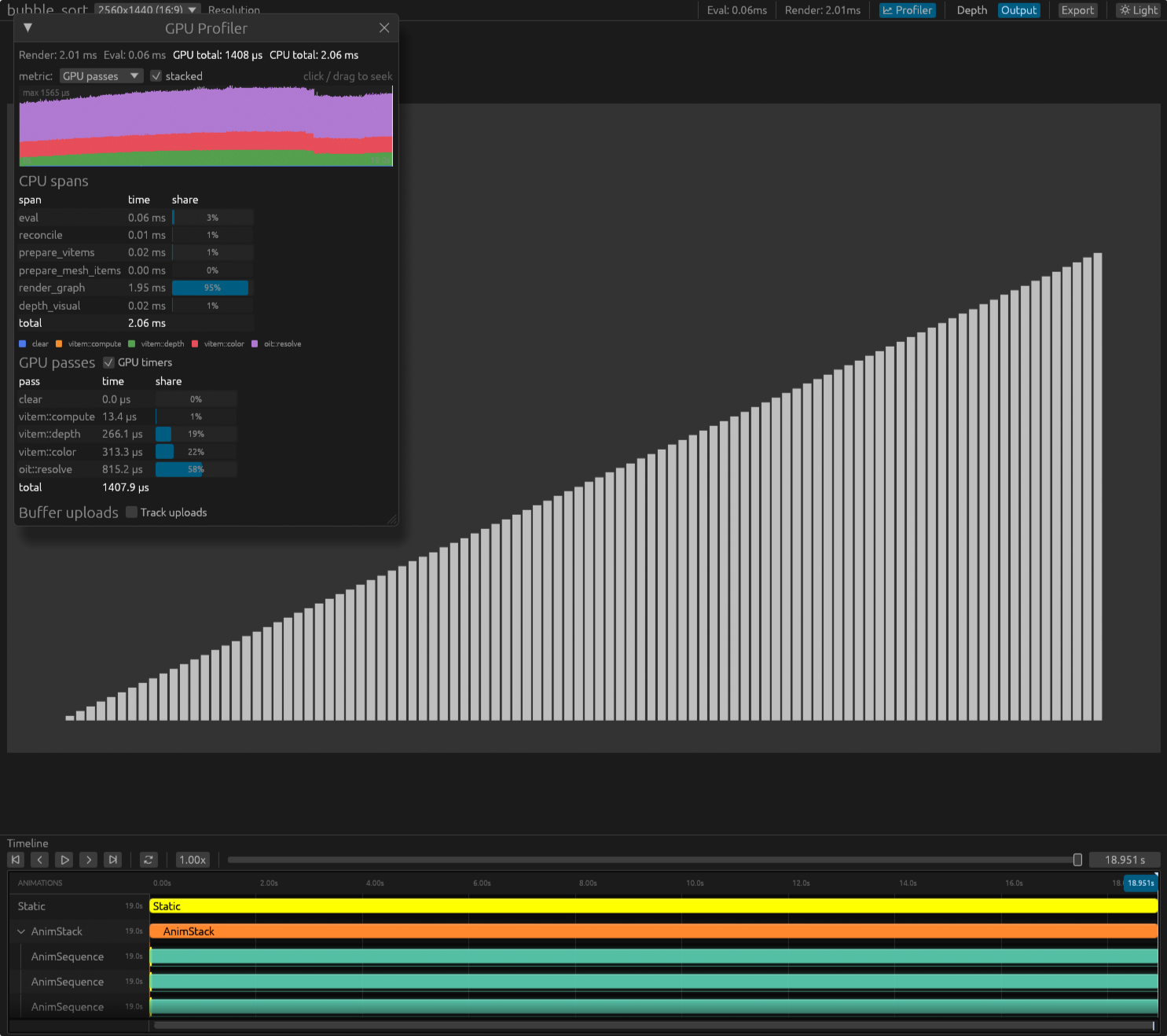
The native Profiler panel shows GPU passes, CPU spans, and upload stats.
Enable GPU timestamps with RANIM_PROFILE_GPU=1 (adds a per-frame device poll),
or upload tracking with RANIM_PROFILE_UPLOAD=1.
The root Notist.toml groups book/ and website/ into a workspace; each member
keeps its own configuration. Inside nix develop, run just book, just website,
or just publications to build both. Outputs are notist-output/ranim-book/ and
notist-output/ranim-website/, with independent deployment URLs.
Use notist serve -p ranim-book or notist serve -p ranim-website for preview.
Website builds generate example pages without rendering or uploading media;
see the website guide for WASM and media preparation.
See CONTRIBUTING.md for guidelines.
Once the design is stablized, I may write about it.
For now, you can check out the code.