There are scenarios where you may need to ingest Dynamics 365 Finance and Operations data available in the lake to relational database or external service – it could be Azure sql database, synapse dedicated pool or even on-premised sql database. This could for data integration or API scenarios where you expect millisecond response time or it could be integration to existing datawarehosue solution. Export to data lake - Near real time data update feature (preview) exports data incrementally in the changeFeed folder, it would be ideal if you could incrementally ingest this data to your sql database.
Following are the two common architecture choices to achive the objective
- Use Synapse serverless ExternalTable/Views to virtualize the data in the lake and then use ETL tool to copy the data to destination database
- Use ETL tool to directly read data from the data lake
Option 1: Using Synapse serverless Views simplify the schema detection and is easier to implement. Synapse SQL Serverless pool provides familiar T-SQL syntax, any tool capable to establish TDS connection to SQL offerings can connect to and query Synapse SQL therefore enables you to use any tool of your choice to do ETL such as ADF/Synapse pipeline, SSIS or any third party that support SQL.
Option 2: Directly reading data from data lake while using cloud based big data compute such as Synapse Dedicated pool (Copy Into), Azure Spark or Azure Data bricks option 2 might be better choice as these tools supports loading or reading data directly from the data lake. CDM Connector for Spark is also available https://github.com/Azure/spark-cdm-connector to help with schema detection. If ETL tool of choice does not support CDM then you have to use custom metadata detection logic and schema drift support. This option can be cost effective compared to option 1 however the choice of the ETL tool and compute will be limited.
Bellow a generic Option 1 sample implementation with Synapse\ADF pipeline

To try out the solution follow the steps outlined bellow
- Export Finance and Operations Apps Tables data to Data Lake
- Create Synapse Workspace and use CDMUtil to create external table or view for Tables folder and ChangeFeed folders. 3.Download FullExport_SQL and IncrementalExport_SQL templates to your local directory.
- Click Import from Pipeline template and locate downloaded template file from your local computer

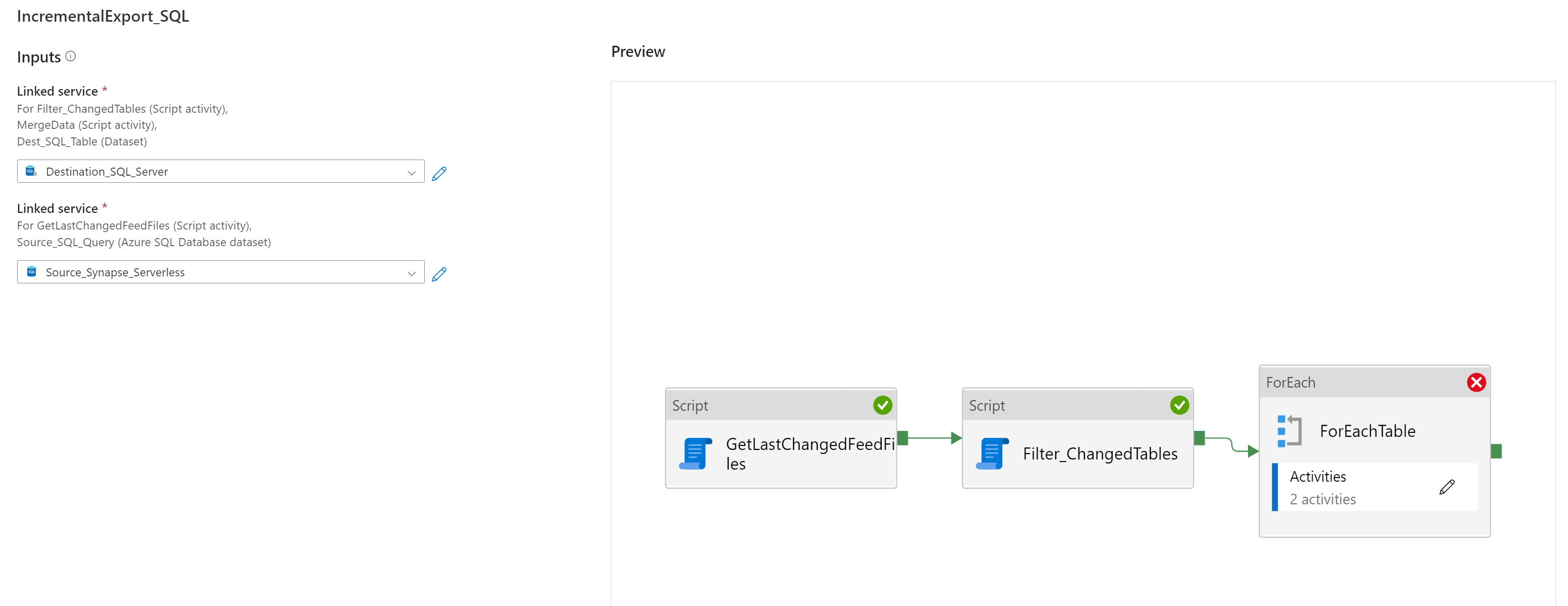
- Select or create new Destination SQL Link Service (Destination SQL Server) and Source SQL Link Service (Synapse Serverless SQL Pool) and click Open pipeline and publish changes to workspace.
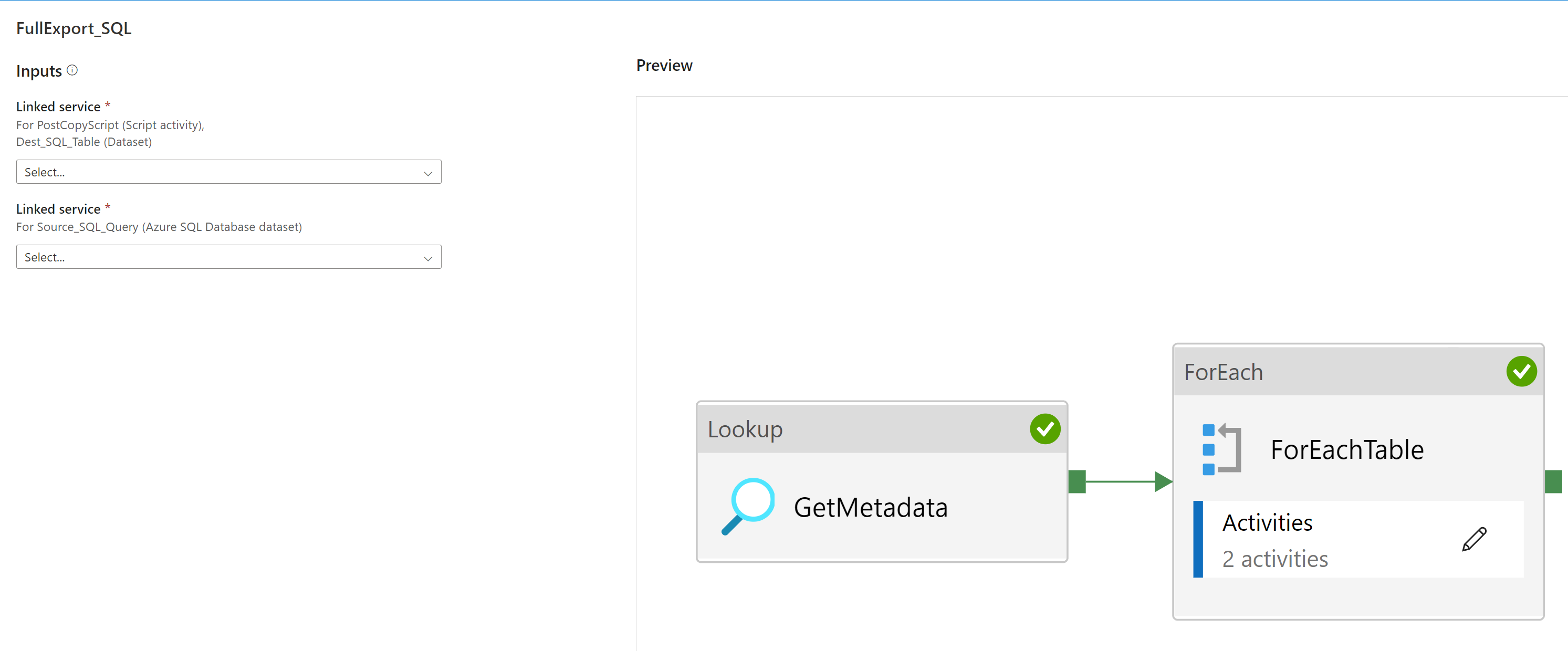
- Repeat the steps for IncrementalExport_SQL template.
- IncrementalExport_SQL.zip
- FullExport_SQL : Use this pipeline to trigger the full export for given tables provided as input parameter. You can also create scheduled trigger or event based trigger to start the pipeline when a new table is exported to data lake.
- IncrementalExport_SQL : Use this pipeline to read views or external table created on top of ChangeFeed folder to incrementally load and merge data to destination table. You can run this for one table or run as schedule trigger to detect changed tables since last run to merge incremental changes. You can also trigger the pipeline based on the storage event of the ChangeFeed CSV files to immediately trigger the pipeline when a new CSV file is dropped in the ChangeFeed folder.