


No LibreOffice required — just npm install.
A lightweight JavaScript library that renders PowerPoint (.pptx) slides as SVG or PNG in Node.js.
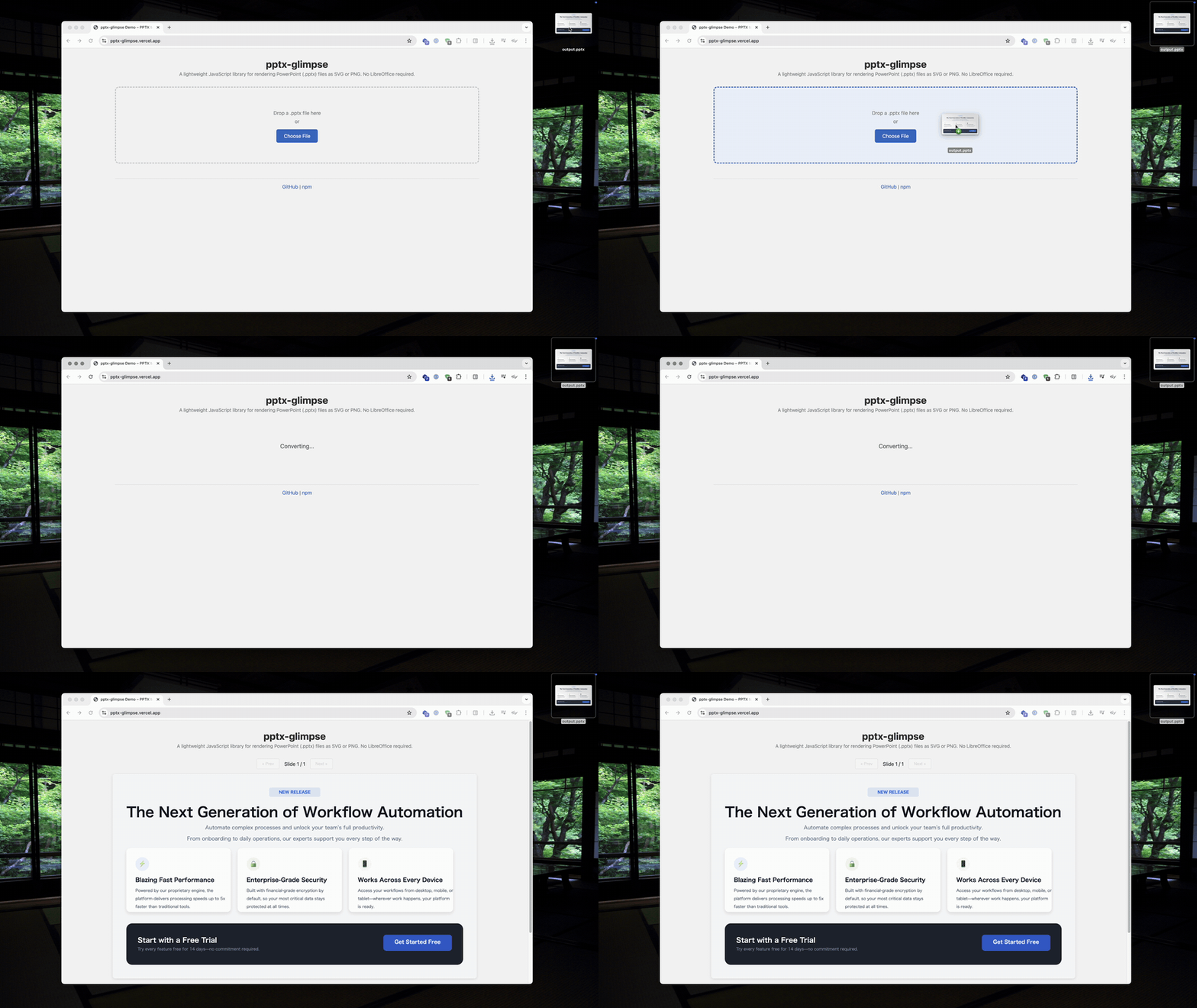
Upload a .pptx file → get SVG/PNG output instantly
| PowerPoint | pptx-glimpse |
|---|---|
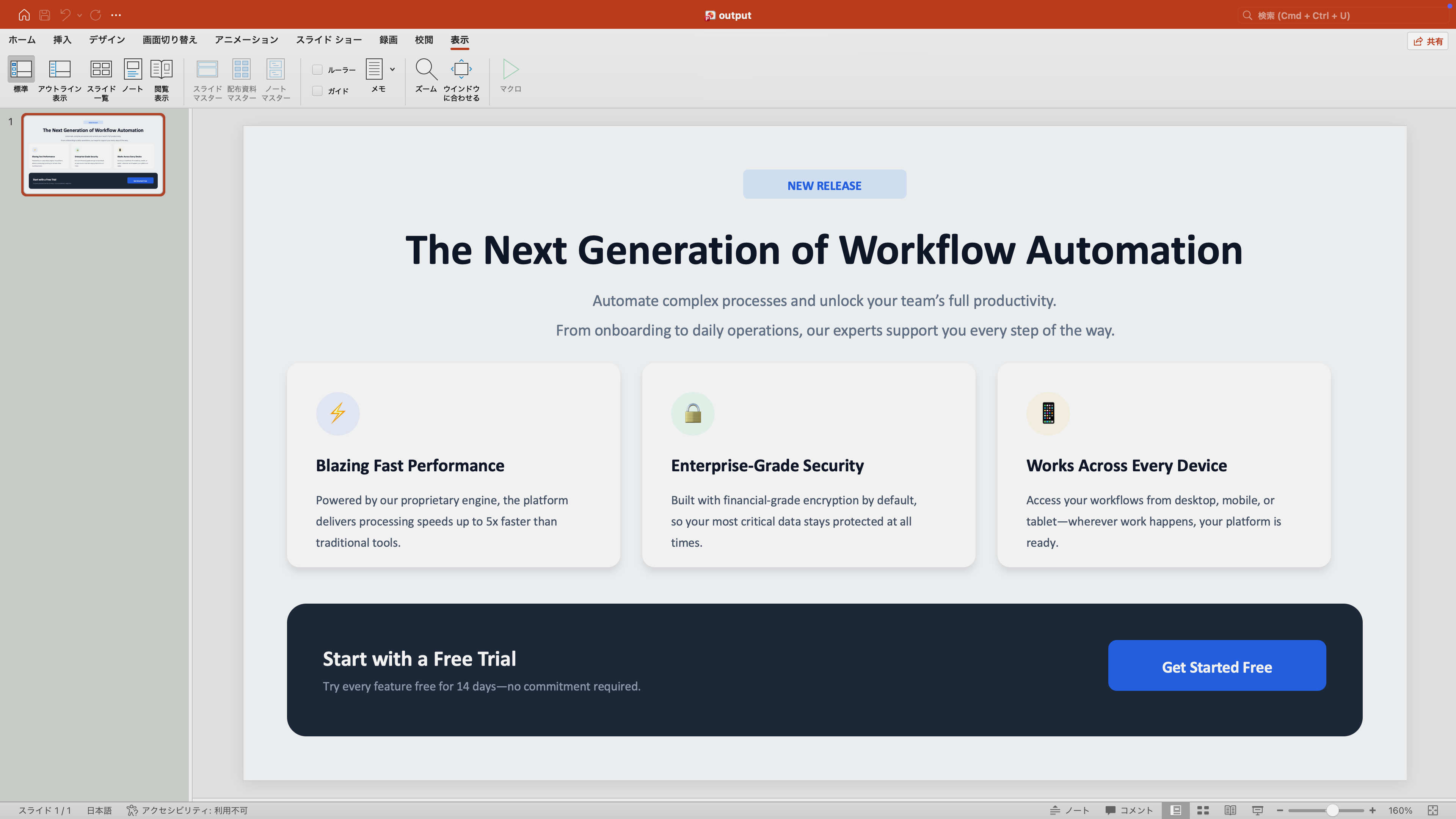 |
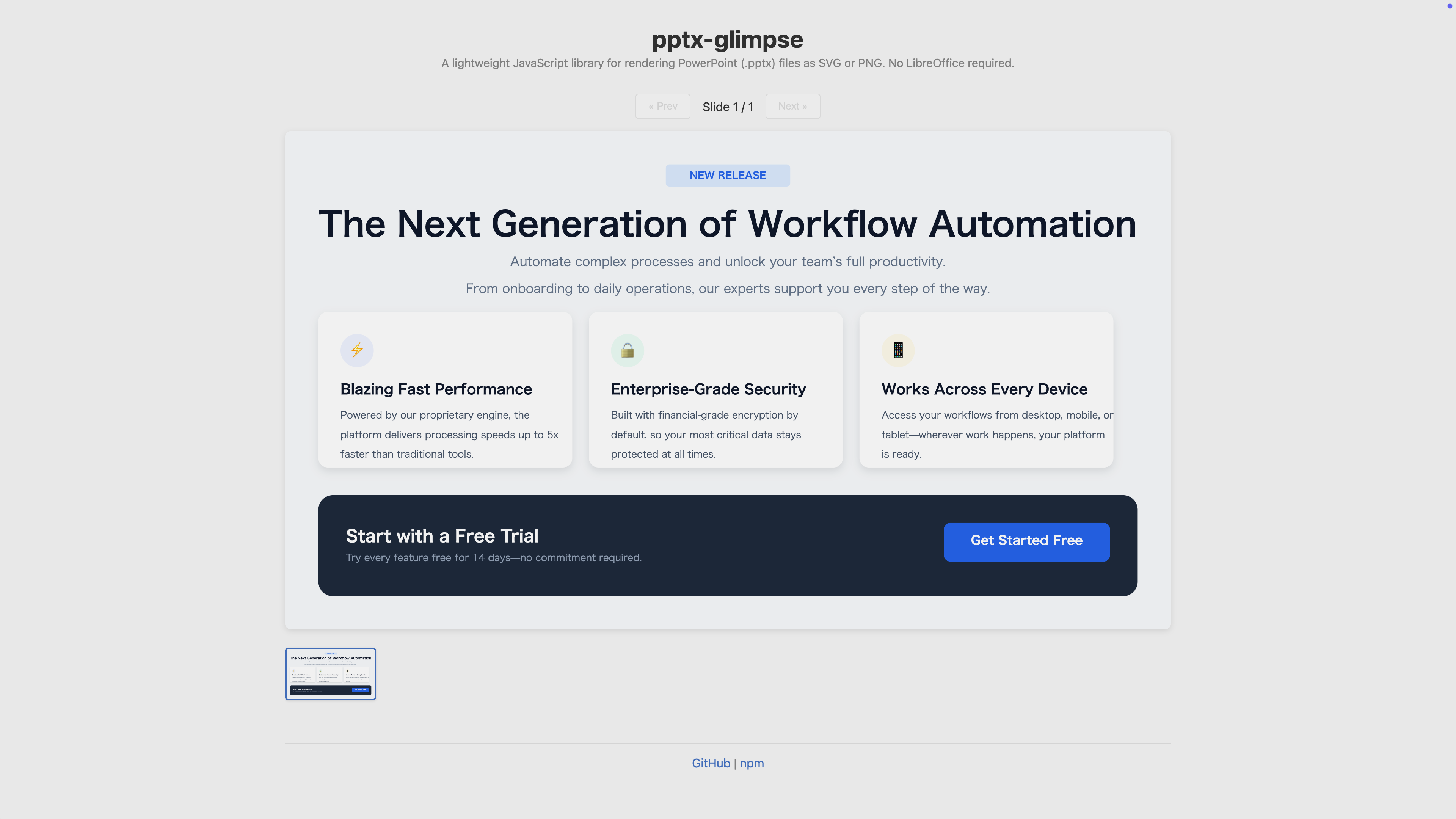 |
pptx-glimpse is designed for two primary use cases:
- Frontend PPTX preview — Render slide thumbnails without depending on Microsoft Office or LibreOffice. The SVG output can be embedded directly in web pages.
- AI image recognition — Convert slides to PNG so that vision-capable LLMs can understand slide content and layout.
The library focuses on accurately reproducing text, shapes, and spatial layout rather than pixel-perfect rendering of every PowerPoint feature.
| LibreOffice | pptx-glimpse | |
|---|---|---|
| Install size | ~500 MB+ | npm install (~30 MB) |
| Docker image | Large base image required | Works in any Node.js image |
| Startup time | Process spawning overhead | In-process, no spawning |
| Concurrency | One process per conversion | Async, runs in your event loop |
- Node.js >= 22
npm install pptx-glimpseimport { readFileSync, writeFileSync } from "fs";
import { convertPptxToSvg, convertPptxToPng } from "pptx-glimpse";
const pptx = readFileSync("presentation.pptx");
// Convert to SVG
const svgResults = await convertPptxToSvg(pptx);
// [{ slideNumber: 1, svg: "<svg>...</svg>" }, ...]
// Convert to PNG
const pngResults = await convertPptxToPng(pptx);
// [{ slideNumber: 1, png: Buffer, width: 960, height: 540 }, ...]
writeFileSync("slide1.png", pngResults[0].png);Both convertPptxToSvg and convertPptxToPng accept an optional ConvertOptions object.
const results = await convertPptxToPng(pptx, {
  slides: [1, 3], // Convert only slides 1 and 3
  width: 1920, // Output width in pixels (default: 960)
  height: 1080, // Output height in pixels (width takes priority if both set)
  logLevel: "warn", // Warning log level: "off" | "warn" | "debug"
  fontDirs: ["/custom/fonts"], // Additional font directories to search
  skipSystemFonts: true, // Skip OS system font directories; use fontDirs only
  fontMapping: {
    "Custom Corp Font": "Noto Sans", // Custom font name mapping
  },
});Font Utilities
collectUsedFonts parses a PPTX file and returns all font names used across slides — without performing a full render. Useful for pre-checking which fonts need to be installed.
import { collectUsedFonts } from "pptx-glimpse";

const fonts = collectUsedFonts(pptx);
// {
//   theme: { majorFont: "Calibri Light", minorFont: "Calibri", majorFontEa: "...", ... },
//   fonts: ["Arial", "Calibri", "Meiryo"]
// }import { DEFAULT_FONT_MAPPING, createFontMapping, getMappedFont } from "pptx-glimpse";
// Create a custom mapping (merges with defaults, user values take priority)
const mapping = createFontMapping({ Calibri: "Ubuntu" });
// Look up mapped font (case-insensitive)
getMappedFont("Meiryo", mapping); // "Noto Sans JP"
getMappedFont("calibri", mapping); // "Ubuntu"Custom Font Loading
In environments where system fonts are not available, you can build a text measurer from font buffers using createOpentypeSetupFromBuffers. This is a low-level utility for advanced use cases.
import { readFileSync } from "fs";
import { createOpentypeSetupFromBuffers } from "pptx-glimpse";

const setup = await createOpentypeSetupFromBuffers([
  { name: "Carlito", data: readFileSync("fonts/Carlito-Regular.ttf") },
  { name: "Noto Sans JP", data: readFileSync("fonts/NotoSansJP-Regular.ttf") },
]);
// setup.measurer — text width measurement
// setup.fontResolver — text-to-SVG-path conversionpptx-glimpse automatically scans system font directories and loads fonts using opentype.js. Text in SVG output is converted to <path> elements, ensuring consistent rendering regardless of the environment.
Default system font directories:
| OS | Directories |
|---|---|
| Linux | /usr/share/fonts, /usr/local/share/fonts |
| macOS | /System/Library/Fonts, /Library/Fonts, ~/Library/Fonts |
| Windows | C:\Windows\Fonts |
Use the fontDirs option to add custom font directories. To skip system font scanning entirely and use only fontDirs (useful in containers, serverless environments, or when you want to bundle specific fonts to reduce startup time), set skipSystemFonts: true.
PPTX files often reference proprietary fonts (e.g., Calibri, Meiryo). pptx-glimpse maps these to open-source alternatives available on Google Fonts.
Default mapping:
| PPTX Font | Mapped to |
|---|---|
| Calibri | Carlito |
| Arial | Arimo |
| Times New Roman | Tinos |
| Courier New | Cousine |
| Cambria | Caladea |
| Meiryo / Yu Gothic / MS Gothic etc. | Noto Sans JP |
| MS Mincho / Yu Mincho etc. | Noto Serif JP |
You can customize the mapping via the fontMapping option:
const results = await convertPptxToSvg(pptx, {
  fontMapping: {
    "Custom Corp Font": "Noto Sans", // Add a new mapping
    Arial: "Inter", // Override the default
  },
});136 preset shapes, charts, tables, SmartArt, gradients, shadows, and more — covering the most common static PowerPoint content.
| Feature | Details |
|---|---|
| Preset shapes | 136 types (rectangles, ellipses, arrows, flowcharts, callouts, stars, math symbols, etc.) |
| Custom shapes | Arbitrary shape drawing using custom paths (moveTo, lnTo, cubicBezTo, quadBezTo, arcTo, close), adjust values / guide formulas |
| Connectors | Straight / bent / curved connectors, arrow endpoints (headEnd/tailEnd), line style / color / width |
| Groups | Shape grouping, nested groups, group rotation / flip |
| Transforms | Position, size, rotation, flip (flipH/flipV), adjustment values |
| Feature | Details |
|---|---|
| Character formatting | Font size, font family (East Asian font support), bold, italic, underline, strikethrough, font color, superscript / subscript, hyperlinks |
| Paragraph formatting | Horizontal alignment (left/center/right/justify), vertical anchor (top/center/bottom), line spacing, before/after paragraph spacing, indent |
| Bullet points | Character bullets (buChar), auto-numbering (buAutoNum, 9 types), bullet font / color / size |
| Text boxes | Word wrap (square/none), auto-fit (noAutofit/normAutofit/spAutofit), font scaling, margins |
| Word wrapping | Word wrapping for English, Japanese, and CJK text, wrapping with mixed font sizes |
| Style inheritance | Full text style inheritance chain (run → paragraph default → body lstStyle → layout → master → txStyles → defaultTextStyle → theme fonts) |
| Tab stops / fields | Tab stop positions, field codes (slide number, date, etc.) |
| Feature | Details |
|---|---|
| Solid color | RGB color specification, transparency |
| Gradient | Linear gradient, radial gradient, multiple gradient stops, angle |
| Image fill | PNG/JPEG/GIF, stretch mode, cropping (srcRect) |
| Pattern fill | Hatching patterns (horizontal, vertical, diagonal, cross, etc.) |
| Group fill | Inherit fill from parent group |
| No fill | noFill specification |
| Feature | Details |
|---|---|
| Line style | Line width, solid color, transparency, lineCap, lineJoin |
| Dash style | solid, dash, dot, dashDot, lgDash, lgDashDot, sysDash, sysDot |
| Arrows | Head / tail arrow endpoints with type, width, and length settings |
| Feature | Details |
|---|---|
| Color types | RGB (srgbClr), theme color (schemeClr), system color (sysClr) |
| Theme colors | Color scheme (dk1, lt1, dk2, lt2, accent1-6, hlink, folHlink), color map |
| Color transforms | Luminance adjustment (lumMod/lumOff), tint, shade, transparency (alpha) |
| Feature | Details |
|---|---|
| Outer shadow | Blur radius, distance, direction, color / transparency |
| Inner shadow | Blur radius, distance, direction, color / transparency |
| Glow | Radius, color / transparency |
| Soft edge | Radius |
| Feature | Details |
|---|---|
| Image elements | PNG/JPEG/GIF, position / size / rotation / flip, cropping (srcRect), effects |
| Image fill | Image fill for shapes and backgrounds |
| Feature | Details |
|---|---|
| Table structure | Row and column grid, cell merging (gridSpan/rowSpan), row height / column width |
| Cell formatting | Text, fill (solid/gradient/image), borders (top/bottom/left/right, styles) |
| Feature | Details |
|---|---|
| Supported charts | Bar chart (vertical/horizontal), line chart, pie chart, scatter plot, area chart, doughnut, bubble, radar |
| Chart elements | Title, legend (position), series (name/values/categories/color), category axis, value axis |
| Feature | Details |
|---|---|
| Pre-rendered shapes | Renders SmartArt using PowerPoint's pre-rendered drawing shapes (drawingN.xml) |
| mc:AlternateContent | Handles AlternateContent fallback mechanism used by SmartArt |
| Feature | Details |
|---|---|
| Background | Solid, gradient, image. Fallback order: slide → layout → master |
| Slide size | 16:9, 4:3, custom sizes |
| Theme | Theme color scheme, theme fonts (majorFont/minorFont), theme font refs |
| showMasterSp | Control visibility of master shapes per slide / layout |
Unsupported Features
| Category | Unsupported features |
|---|---|
| Fill | Path gradient (rect/shape type) |
| Effects | Reflection, 3D rotation / extrusion, artistic effects |
| Charts | Stock, combo, histogram, box plot, waterfall, treemap, sunburst |
| Chart details | Data labels, axis titles / tick marks / grid lines, error bars, trendlines |
| Text | Individual text effects (shadow/glow), text columns |
| Tables | Table style template application, diagonal borders |
| Shapes | Shape operations (Union/Subtract/Intersect/Fragment) |
| Multimedia | Embedded video / audio |
| Animations | Object animations, slide transitions |
| Slide elements | Slide notes, comments, headers / footers, slide numbers / dates |
| Image formats | EMF/WMF (parsed but not rendered) |
| Other | Macros / VBA, sections, zoom slides |
Test rendering
You can specify a PPTX file to preview SVG and PNG conversion results.
npm run render -- <pptx-file> [output-dir]- If
output-diris omitted, output is saved to./output
# Examples
npm run render -- presentation.pptx
npm run render -- presentation.pptx ./my-outputMIT