
🪐 Go from AI prompt to live app in one click
The bridge that connects your AI IDE (Cursor, Copilot, etc.) directly to Tencent CloudBase
Languages: 中文 | English · Documentation · Changelog · Report Issues



Found a game-changer for AI coding: one-click deploy from prompt to production



The shortest path from AI prompt to live application


AI programming tools (like Cursor, Copilot) solve the code generation challenge.
However, there's still a gap between "generating code" and "application going live" (deployment, database configuration, CDN, domain setup).
CloudBase MCP (formerly CloudBase AI ToolKit) bridges this gap.
You no longer need:
- ❌ Complex DevOps configuration and YAML files
- ❌ Manual setup of cloud functions and databases
- ❌ Switching back and forth between IDE and cloud console
You only need to use natural language in your AI IDE to complete the entire journey from "idea" to "live".
Table of Contents
In AI IDEs that support MCP (Cursor, WindSurf, CodeBuddy, etc.), just add one line of configuration:
{
  "mcpServers": {
    "cloudbase": {
      "command": "npx",
      "args": ["@cloudbase/cloudbase-mcp@latest"]
    }
  }
}
Tip
Recommended: CloudBase AI CLI
One-click installation, automatic configuration, supports multiple AI programming tools:
npm install @cloudbase/cli@latest -gAfter installation, run tcb ai to start using
-
Login to CloudBase
Login to CloudBaseAI will automatically open the login interface and guide environment selection
-
Start Developing
Build a two-player online Gomoku game website, support online battle, and deploy itAI will automatically generate code, deploy to the cloud, and return the access link
| Tool | Supported Platform | Guide |
|---|---|---|
| CloudBase AI CLI | CLI | Guide |
| Cursor | Standalone IDE | Guide |
| WindSurf | Standalone IDE, VSCode, JetBrains Plugin | Guide |
| CodeBuddy | Standalone IDE (CloudBase built-in), VS Code, JetBrains, WeChat DevTools | Guide |
| CLINE | VS Code Plugin | Guide |
| GitHub Copilot | VS Code Plugin | Guide |
| Trae | Standalone IDE | Guide |
| Tongyi Lingma | Standalone IDE, VS Code, JetBrains Plugin | Guide |
| RooCode | VS Code Plugin | Guide |
| Baidu Comate | VS Code, JetBrains Plugin | Guide |
| Augment Code | VS Code, JetBrains Plugin | Guide |
| Claude Code | CLI | Guide |
| Gemini CLI | CLI | Guide |
| OpenAI Codex CLI | CLI | Guide |
| OpenCode | CLI | Guide |
| Qwen Code | CLI | Guide |
We're not just "glue code". Our built-in rule library is designed specifically for AI programming, enabling AI to directly generate "deployable" CloudBase best-practice code.
Prompt: Generate a user login feature
- AI automatically generates code following CloudBase standards
- Auto-configure database, cloud functions, security rules
- One-click deploy to cloud
AI-automated MCP deployment flow, AI handles all cloud resource configuration from cloud functions, databases to static websites.
Prompt: Deploy current project to CloudBase
- Auto-detect project type (Web/Mini-program/Backend)
- Intelligent deployment parameter configuration
- Real-time deployment progress display
- Auto-return access link
Deployment error? Don't worry. AI automatically reads logs, analyzes issues, and generates fixes, truly achieving a develop-deploy-debug closed loop.
Prompt: There's an error: xxxx
- AI automatically views cloud function logs
- Analyze error causes
- Generate fix code
- Auto redeploy
Whether it's Web apps, mini-programs, or backend services, AI handles it all for you. You just focus on business logic.
| Application Type | Tech Stack | Deployment Method |
|---|---|---|
| Web Apps | React/Vue/Next.js | Static Hosting + CDN |
| WeChat Mini-Programs | Native/UniApp | Mini-program Publishing |
| Backend Services | Node.js/Python | Cloud Functions/Cloud Run |

Built-in intelligent vector search for CloudBase, WeChat Mini-Program and other professional knowledge bases, making AI understand CloudBase better.
Prompt: How to use cloud database to achieve real-time data synchronization?
- Intelligent search CloudBase knowledge base
- Return relevant documentation and best practices
- Provide code examples
Support /spec and /no_spec commands, intelligently choose based on task complexity.
/spec - Complete workflow (Requirements → Design → Tasks → Implementation)
/no_spec - Fast iteration (Direct implementation)
- Node.js v18.15.0 or above
- Enabled Tencent CloudBase Environment
- Installed AI IDE that supports MCP (View supported IDEs)
# Install
npm install @cloudbase/cli@latest -g

# Use
tcb aiAdd MCP configuration according to your AI IDE:
Cursor
Add to .cursor/mcp.json:
{
  "mcpServers": {
    "cloudbase": {
      "command": "npx",
      "args": ["@cloudbase/cloudbase-mcp@latest"]
    }
  }
}
WindSurf
Add to .windsurf/settings.json:
{
  "mcpServers": {
    "cloudbase": {
      "command": "npx",
      "args": ["@cloudbase/cloudbase-mcp@latest"]
    }
  }
}
CodeBuddy
CodeBuddy has CloudBase MCP built-in, no configuration needed.
Other IDEs
View Complete configuration guide for other IDE configuration methods.
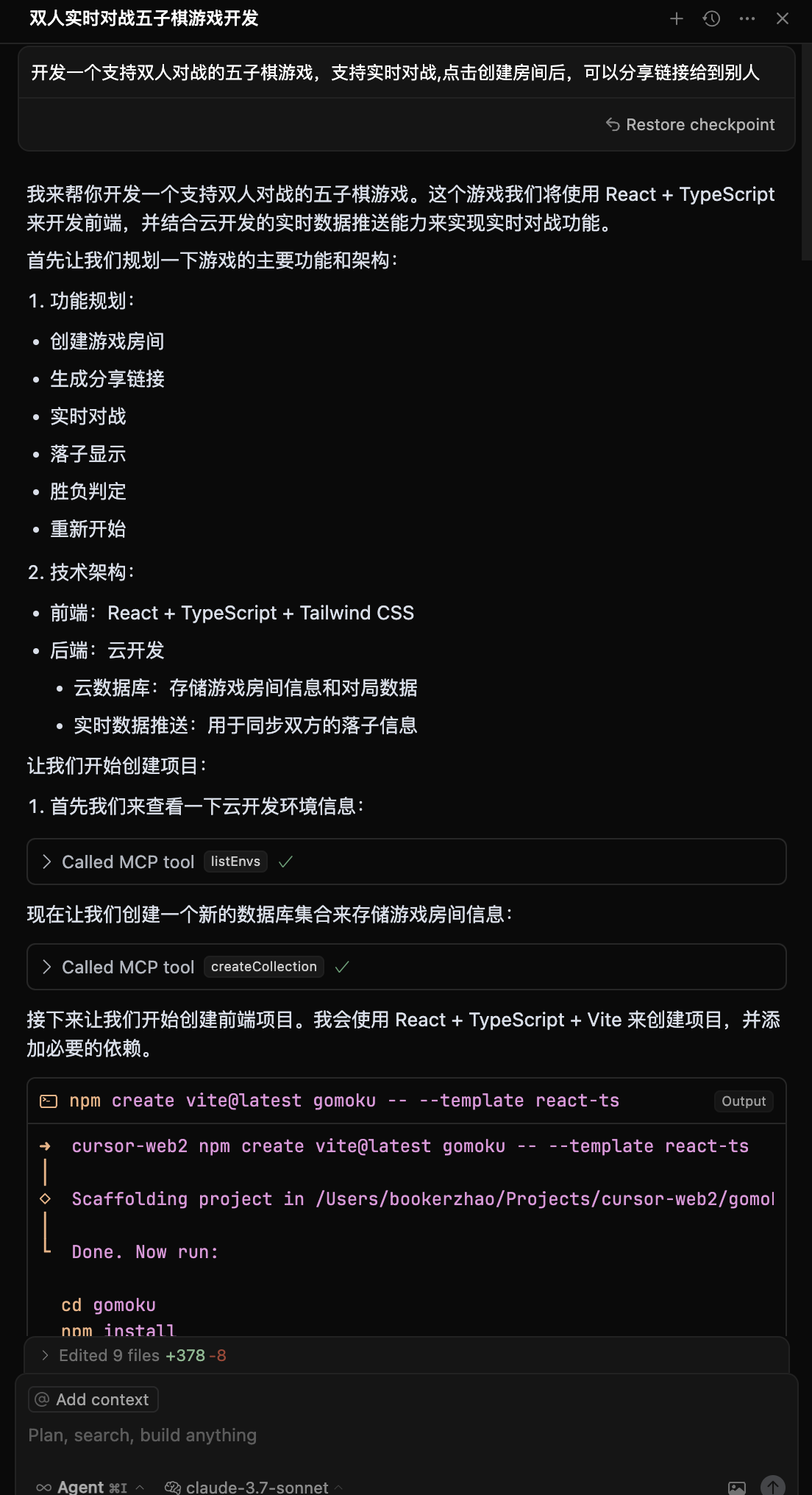
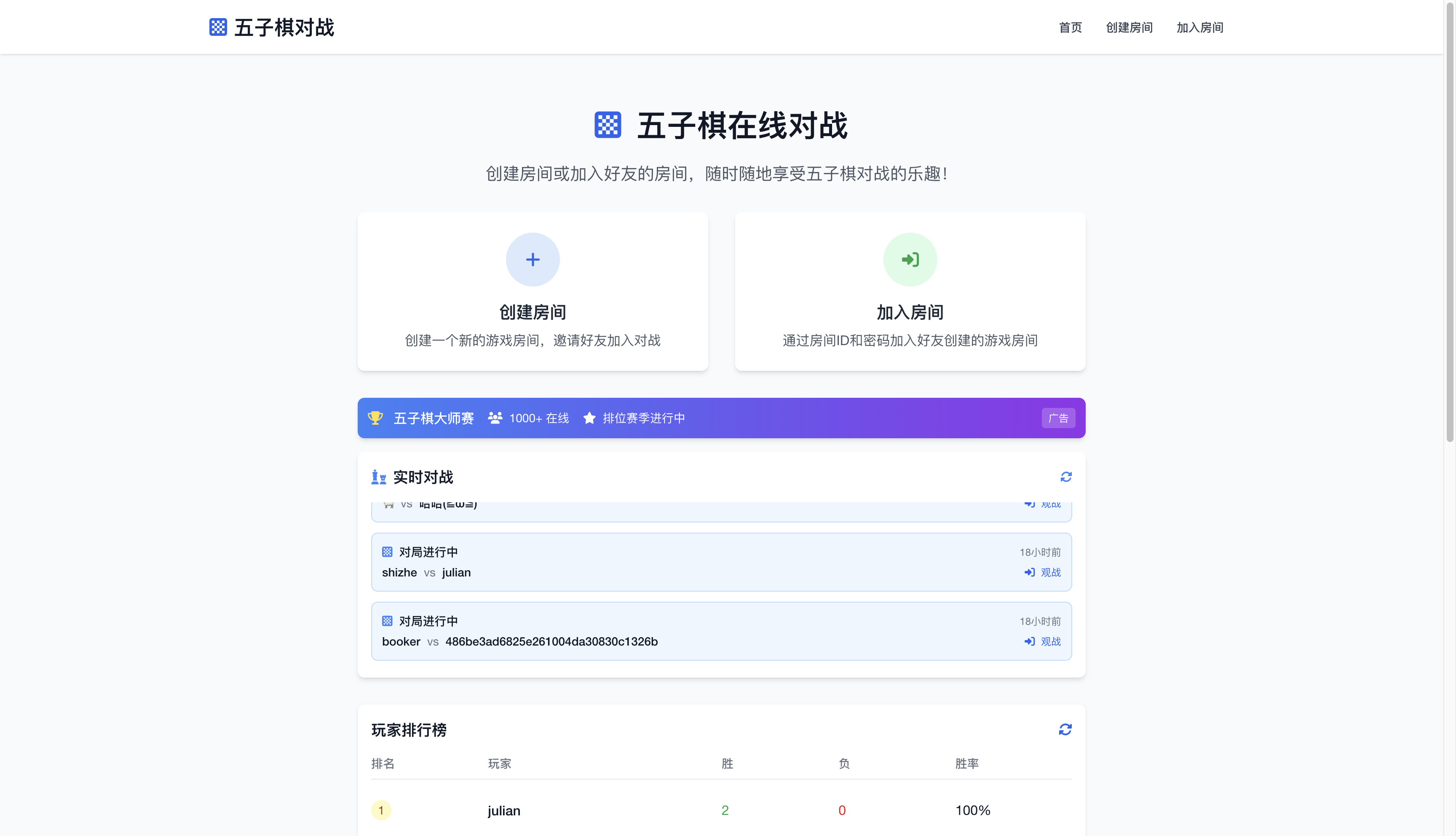
Development Process:
- Input requirement: "Build a two-player online Gomoku website, support online battle"
- AI generates: Web app + cloud database + real-time data push
- Auto-deploy and get access link
Demo: Gomoku Game
View development screenshots
| Development Process | Final Result |
|---|---|
 |
 |
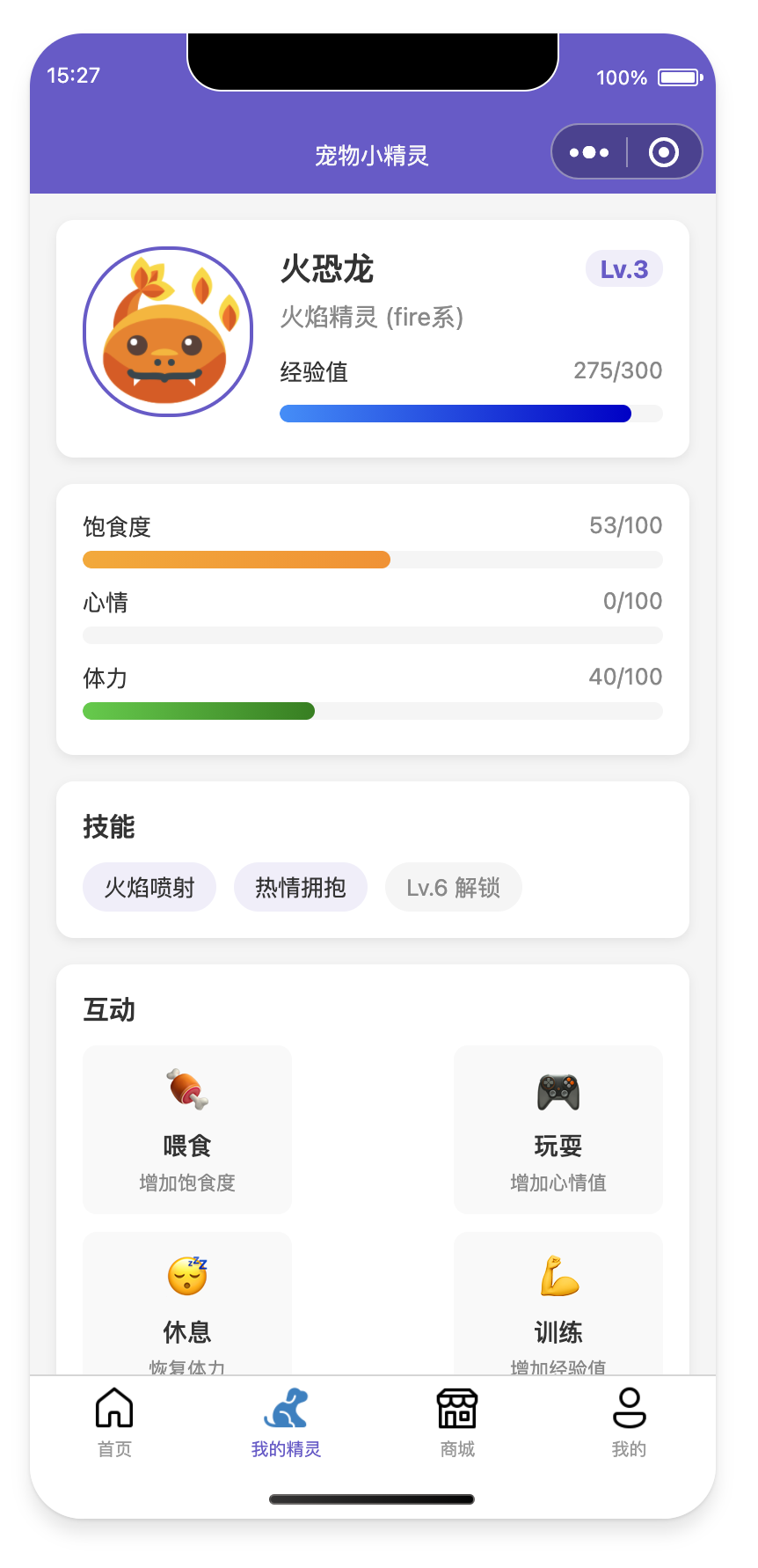
Development Process:
- Input: "Develop a pet-raising mini-program with AI-enhanced interaction"
- AI generates: Mini-program + cloud database + AI cloud function
- Import to WeChat DevTools to publish
View development screenshots and mini-program preview
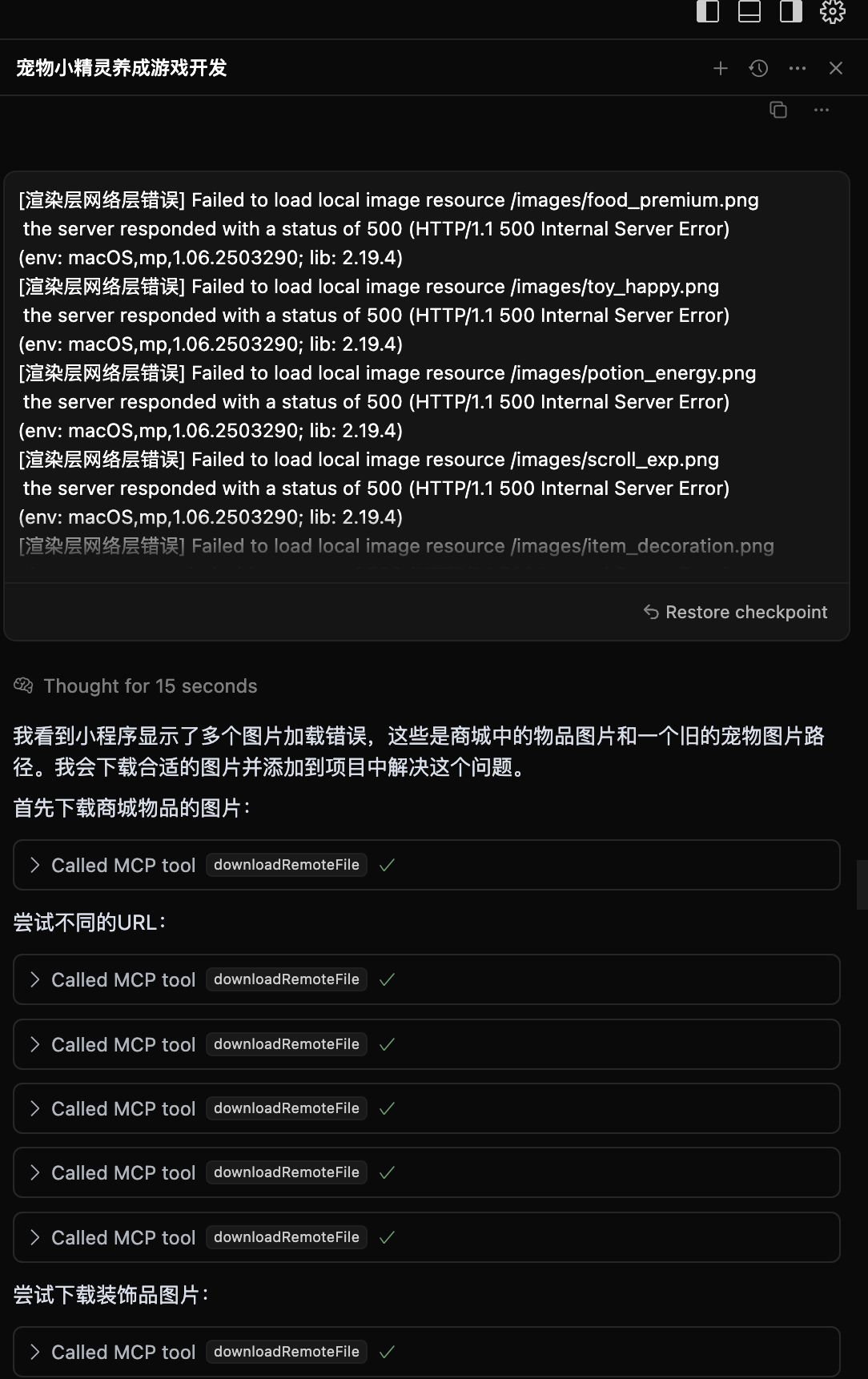
When an app has issues, AI automatically views logs, analyzes errors, and generates fix code.
View smart diagnosis process
39 tools covering environment management, database, cloud functions, static hosting, mini-program publishing, and other core features.
| Category | Tools | Core Features |
|---|---|---|
| Environment | 4 | Login authentication, environment query, domain management |
| Database | 11 | Collection management, document CRUD, indexes, data models |
| Cloud Functions | 9 | Create, update, invoke, logs, triggers |
| Static Hosting | 5 | File upload, domain configuration, website deployment |
| Mini-Program | 7 | Upload, preview, build, configuration, debugging |
| Tool Support | 3 | Templates, knowledge base search, web search |
View complete tool documentation | Tool specification JSON
- Develop a Neighborhood Item Recycling Mini-Program with CloudBase AI CLI
- Build and auto-deploy with OpenClaw + CloudBase
- Agent Skills in practice: don't let AI-built code die on localhost
- One-stop development of card flip game with CodeBuddy IDE + CloudBase
- Develop a WeChat mini-game in 1 hour
- More tutorials...
- CloudBase: Use AI to develop an Overcooked game
- Software 3.0: Best AI Programming Partner
- More videos...

Scan to join WeChat tech exchange group
| Platform | Link | Description |
|---|---|---|
| Official Documentation | View Documentation | Complete CloudBase documentation |
| Issue Feedback | Submit Issue | Bug reports and feature requests |
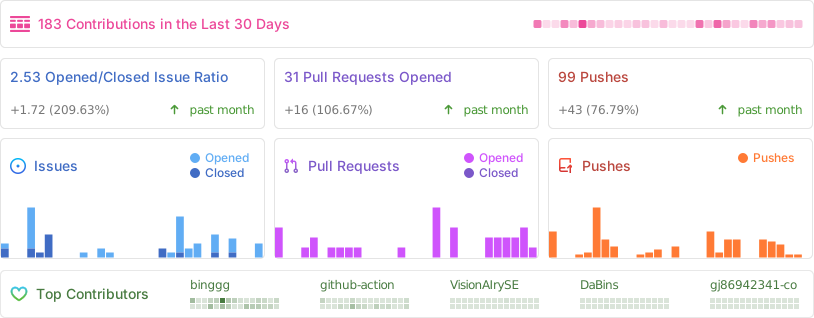
Thanks to all the developers who have contributed to CloudBase MCP!